
GUIDE
D&D on Discord with Archivist AI
Archivist joins your Discord server. Record live sessions, ask the campaign chatbot, get post-session highlights, and share handouts, cards, and Collections with your full party — all without leaving the server.
Published May 23, 2026 • Updated July 17, 2026 • 9 min read
← Back to the Blog Hub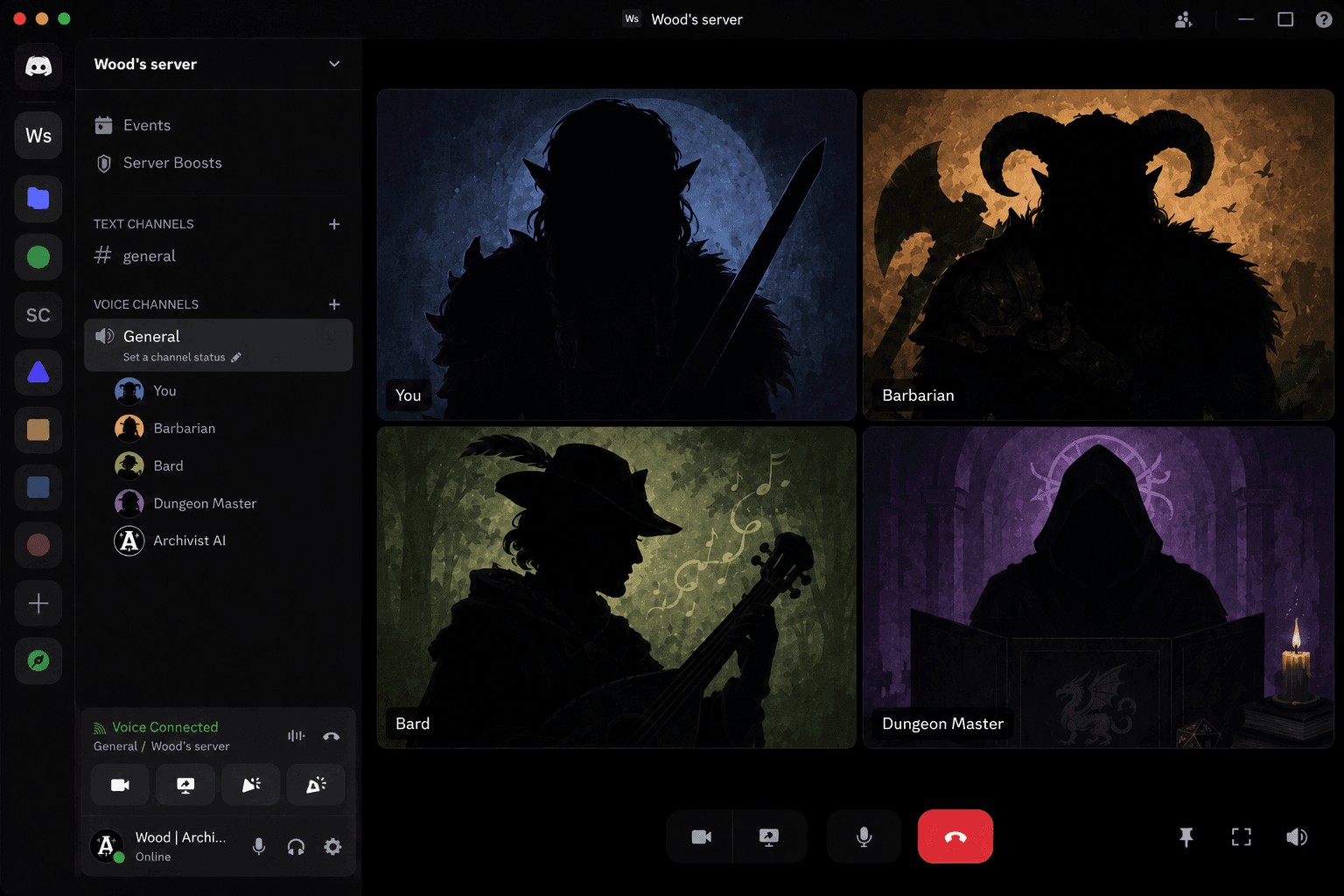
1. Record Live Sessions in Discord
For voice campaigns, Archivist captures the session directly from your server. No separate audio upload after the game. Live recording is started and controlled in Discord — Archivist creates the session automatically once recording begins.
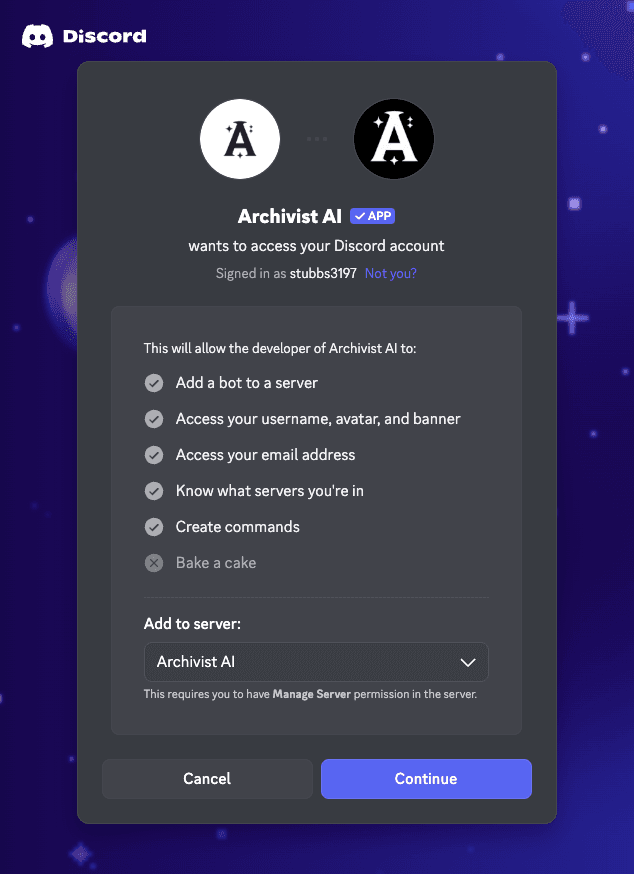
Connect Discord and add the Archivist AI bot to your server from your profile.
Before you start
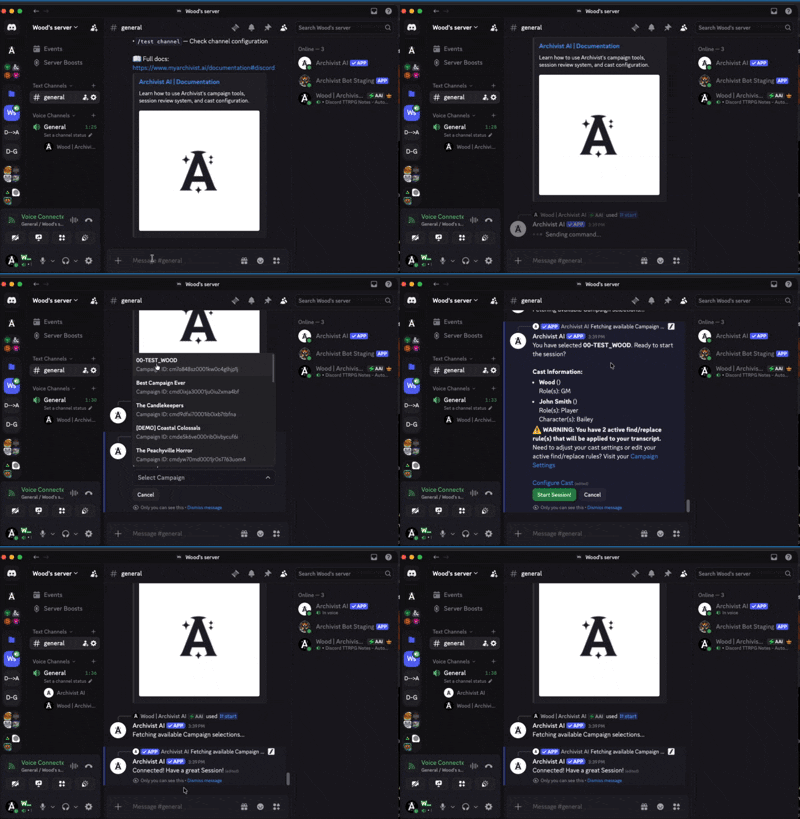
- Join a voice channel in your Discord server.
- Run /start from any text channel and choose your campaign.
- The bot joins voice, creates a session, and transcribes in real time.
During the session — /pause and /resume for breaks as needed.
When finished — run /end to finalize and queue Session Review.
2. Ask Archivist in Discord
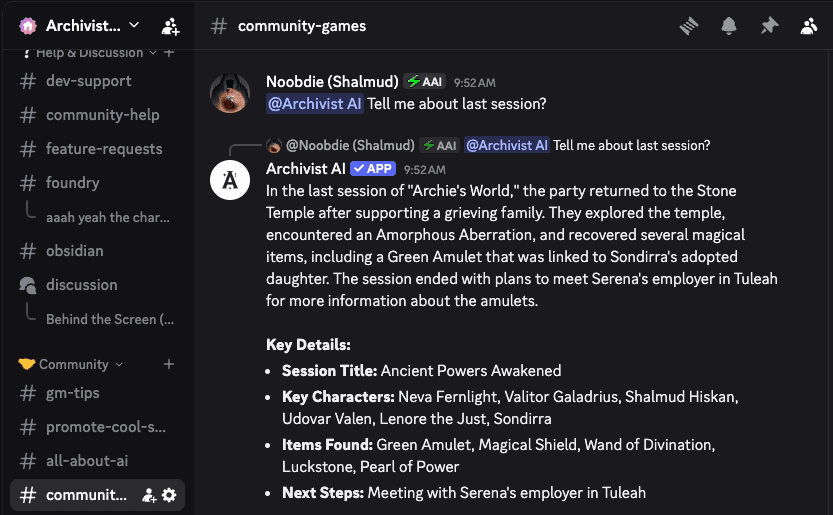
@archivist for campaign Q&A
Mention @archivist in configured channels to ask about prior or completed sessions. Answers draw from transcripts, summaries, entities, beats, and lore in your campaign record.
/askprivate can include private journals and reply only to you. Keep Session Reviews current for the best answers.
/asklive during recording
Pulls from the in-progress transcript — useful for checking something said earlier in the same session. Quality depends on what has been captured so far.
3. Discord G.E.M.S. After the Session
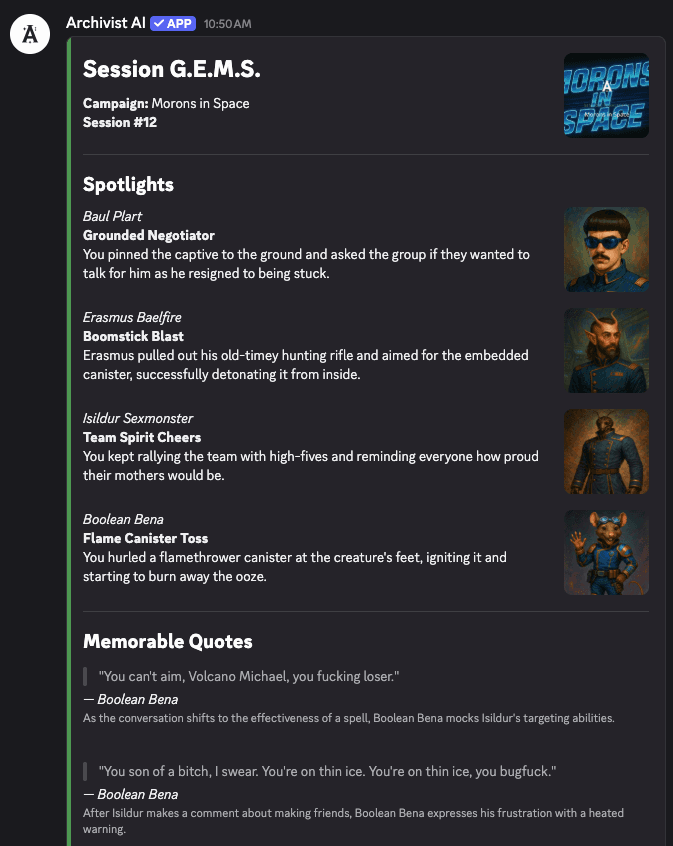
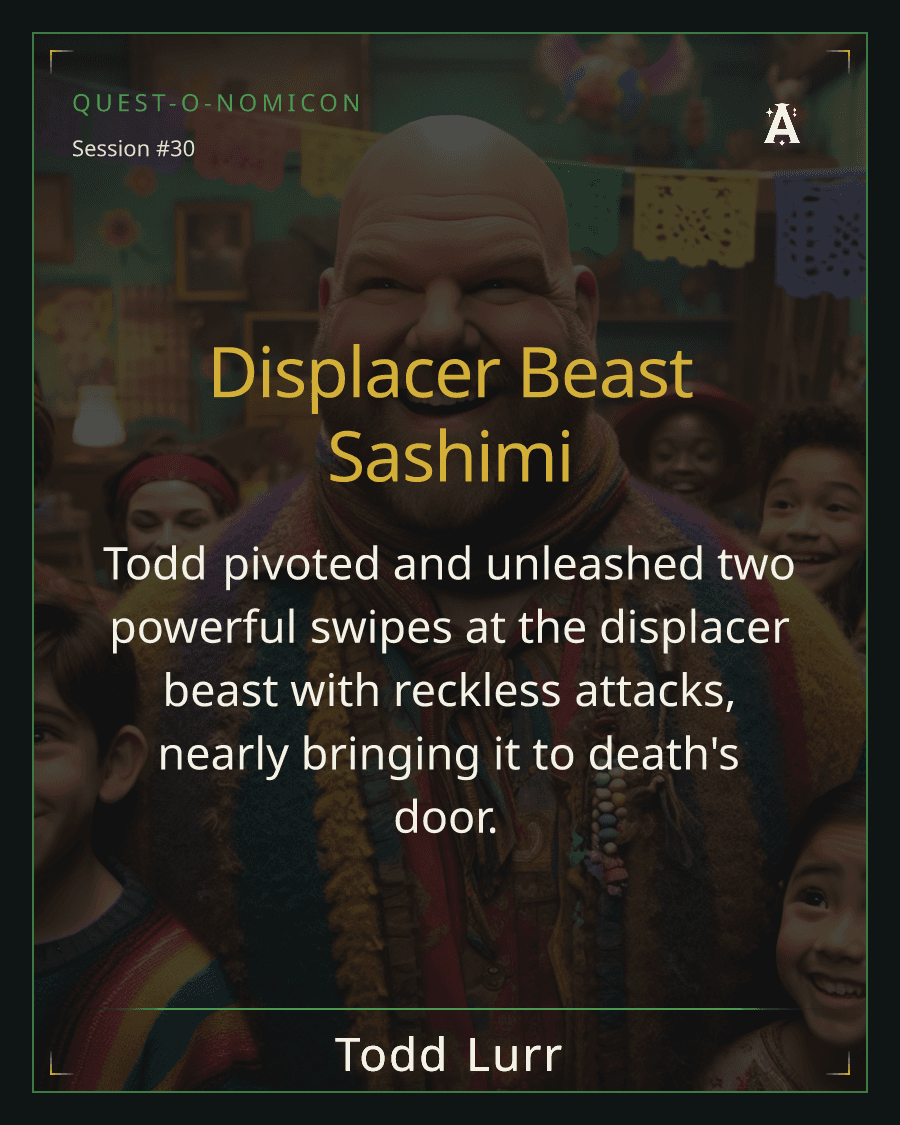
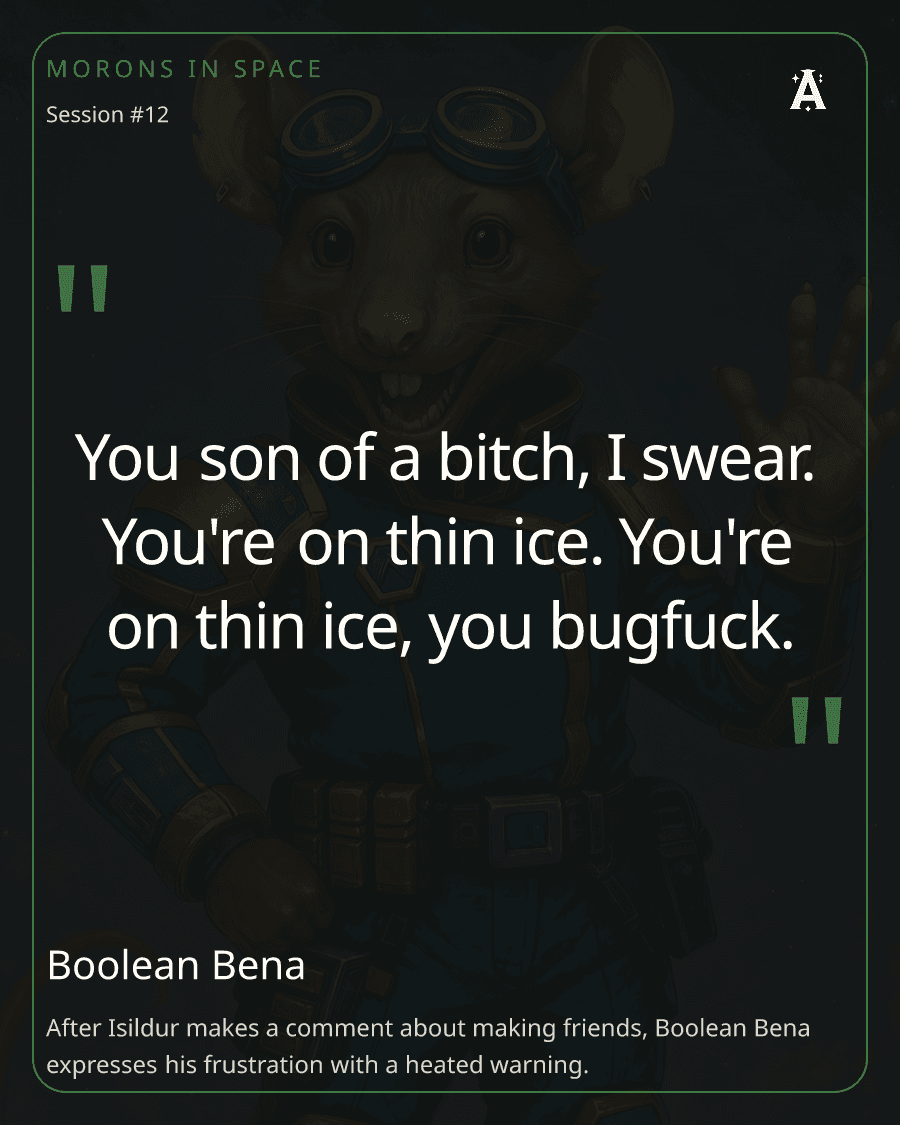
Discord G.E.M.S. (Game Excerpts, Mentions, and Spotlights) posts highlights to your server about a minute after a voice session ends: a Share Sheet, Player Spotlight cards, and Memorable Quote cards.
4. Share Collections Back to Discord
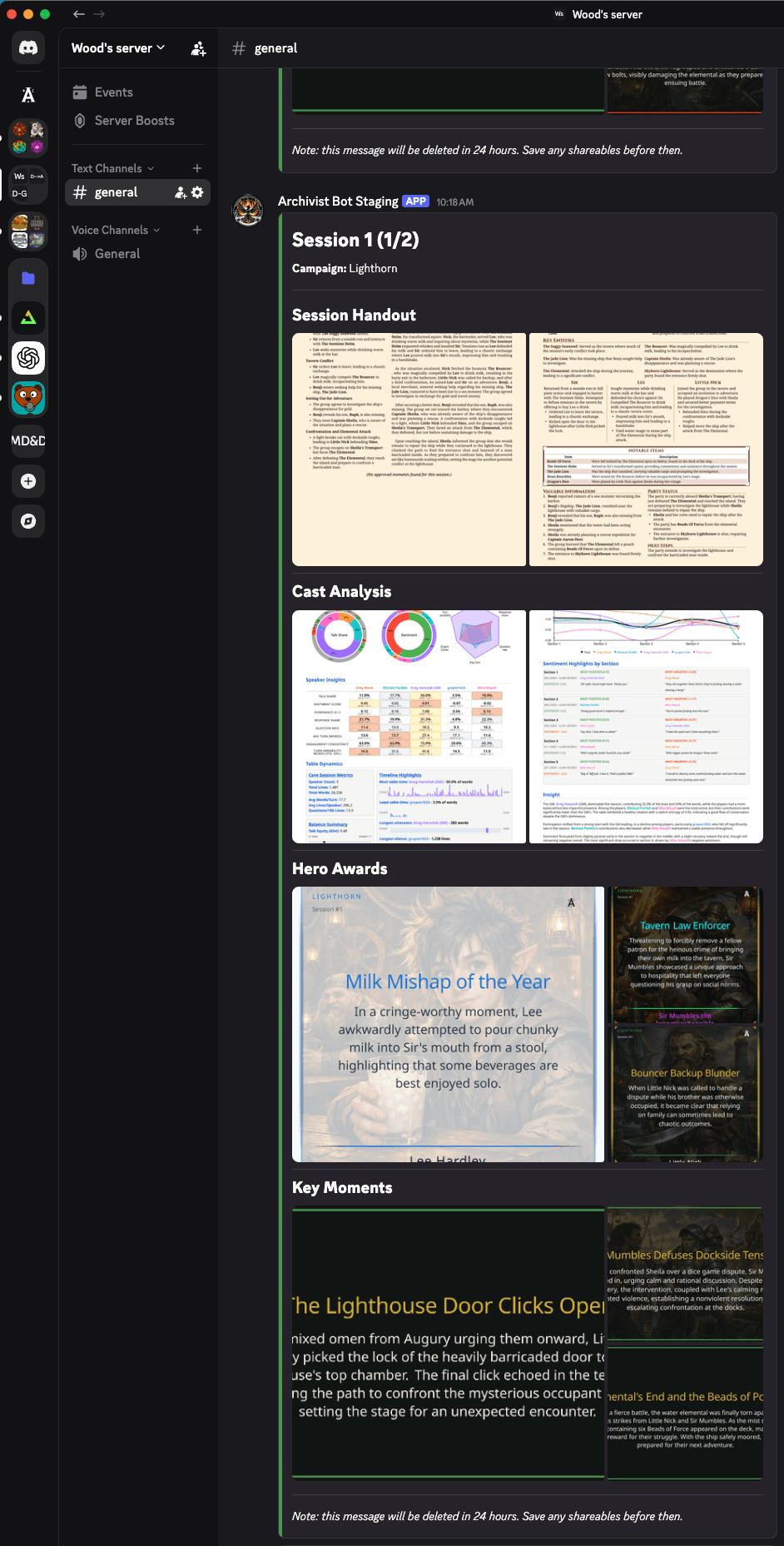
After Session Review, Artifacts holds your polished outputs in one library: Session Handouts, Hero Awards, Key Moments, Cast Analysis, Digital Trading Cards, and more.
Bundle the pieces your players need into a Collection, then share that Collection back to Discord so the whole table gets one player-facing packet in the channel.
- Group handouts, Hero Awards, Key Moments, and Cast Analysis around a session or arc
- Send the Collection to Discord, email it to players, or keep it in Artifacts for later
- Finish Session Review first so highlights and handouts pull from the cleaned-up session record — see Hero Awards, Shareables, and a New UX
Your Discord session, start to finish
- BeforeConnect Discord and configure campaign channels.
- During/start to record. /asklive for in-session checks. Discord command reference.
- AfterSession Review plus G.E.M.S. in Discord.
- Between@archivist for recall. Play-by-post via message URLs. Share Collections back to your server.
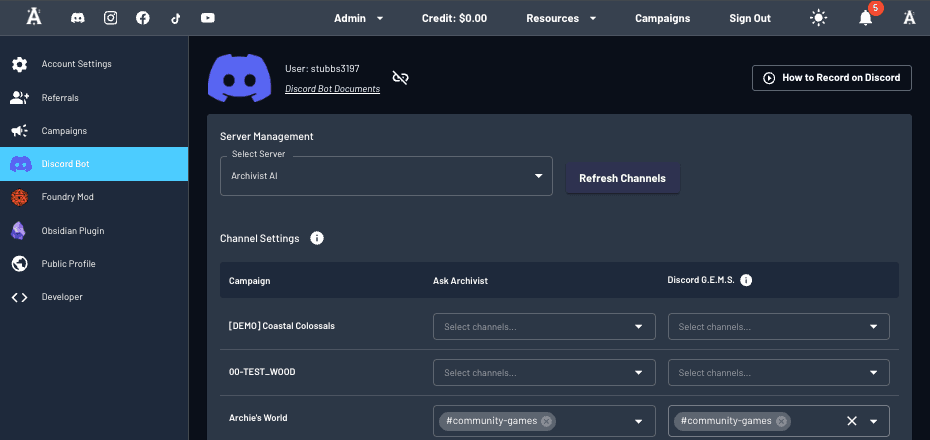
Connect Discord from your Archivist profile. 30-day trial, 2 sessions, all core features. No card required.
Reference
Privacy, Configuration & Play-by-Post
Privacy and control
- Admin required once to add the bot. Not needed for day-to-day use.
- Bot only activates in channels you configure.
- No listening unless someone runs /start, mentions @archivist, uses /asklive, or a similar command.
- Private channels require inviting the bot.
Play-by-post campaigns
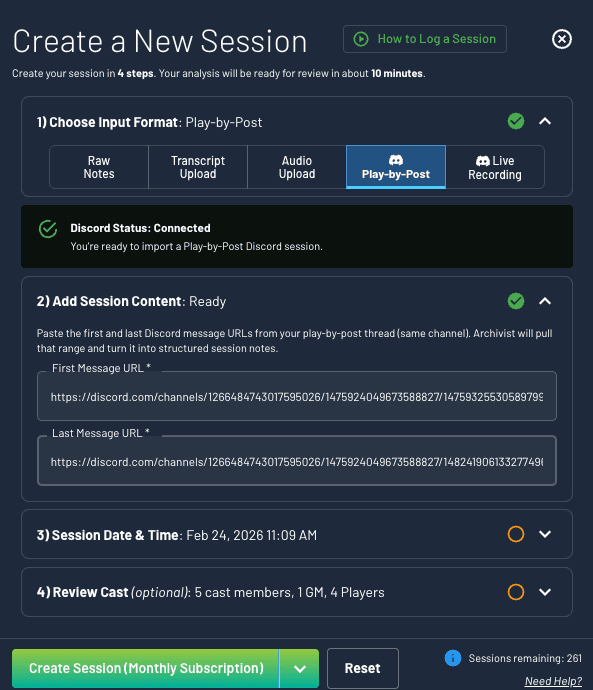
Running a text-based table instead of voice? Create a Play-by-Post session in Archivist and paste the first and last Discord message URLs from your thread. Long threads may split into multiple sessions.
- Create a Play-by-Post session in Archivist.
- Copy Message Link for the first and last posts in the thread.
- Archivist ingests the thread — same Session Review flow as voice.
FAQ
Can I use Archivist AI to record D&D sessions in Discord?
Yes. Connect Discord from your Archivist profile, add the bot to your server, join a voice channel, and run /start to choose your campaign. The bot transcribes in real time. Use /pause and /resume as needed, then /end to queue Session Review.
Does Archivist AI work for Discord play-by-post campaigns?
Yes. Create a Play-by-Post session and paste the first and last Discord message URLs from your thread. Long threads may split into multiple sessions. Session Review runs after ingestion.
Can players ask questions inside Discord?
Yes. Mention @archivist in configured channels for prior sessions. During a live recording, /asklive answers from the in-progress transcript. /askprivate can include private journals and replies only to you.
Does the Discord bot listen all the time?
No. It only activates in configured channels when someone runs /start, mentions @archivist, uses /asklive, or another relevant command. Private channels require inviting the bot.
What are Discord G.E.M.S.?
G.E.M.S. stands for Game Excerpts, Mentions, and Spotlights. After a Discord voice session ends, Archivist can post a Share Sheet, Player Spotlight cards, and Memorable Quote cards to your server. English-language campaigns only for now.
Can I share Artifacts Collections to Discord?
Yes. In Artifacts, group Session Handouts, Hero Awards, Key Moments, Cast Analysis, and other shareables into a Collection, then send that Collection to your Discord server so the whole table gets one player-facing packet.
Do I need admin permissions to add Archivist to Discord?
Admin access is required once to add the bot. After setup, normal use does not require admin.
Is Archivist only for D&D?
No. Archivist supports TTRPG campaigns broadly. This article uses D&D language because many Discord tables run D&D online.